


- In the LifeKeeper GUI, click the
![]() icon to open the Create Resource Wizard. Select the “SAP HANA” Recovery Kit.
icon to open the Create Resource Wizard. Select the “SAP HANA” Recovery Kit.
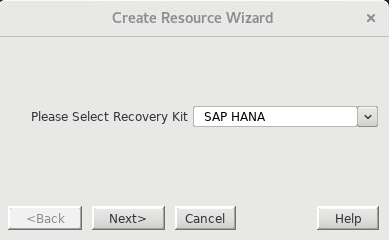
- Enter the following values to create and extend a LifeKeeper resource (HANA-SPS_HDB00) to protect the HDB00 database instance on node-a and node-b. Note that the resulting resource should not be extended to node-c, the witness node. The
![]() icon indicates that the default option is chosen.
icon indicates that the default option is chosen.
| Create Resource Wizard | |
|---|---|
| Switchback Type | intelligent  |
| Server | node-a |
| SAP HANA SID | SPS |
| SAP HANA Instance for SPS | HDB00 |
| IP child resource | ip-sps-hana |
| Enable/Disable Local Recovery | Enable |
| HANA Tag | HANA-SPS_HDB00 |
| Pre-Extend Wizard | |
| Target Server | node-b |
| Switchback Type | intelligent |
| Template Priority | 1 |
| Target Priority | 10 |
| Extend database/hana Resource Hierarchy Wizard | |
| Root Tag | HANA-SPS_HDB00 |
| Enable/Disable Local Recovery | Enable |
Once the HANA-SPS_HDB00 resource has been successfully created and extended to node-b, the LifeKeeper resource panel should look similar to the following.

SAP HANA database instance HDB00 has now been successfully protected by LifeKeeper.
このトピックへフィードバック