


- Log in to the Windows OS on the active system (lk-node01) as LKDOMAIN\lkadmin.
- Launch the LifeKeeper GUI and log in as LKDOMAIN\lkadmin.
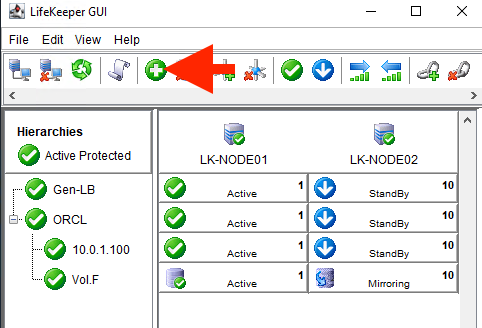
- Click the Create Resource Hierarchy icon (green + sign) to create an Oracle Pluggable Database resource hierarchy.
- Enter the values as described in the table below:
| Oracle resource | |
| Primary Server | lk-node01 |
|---|---|
| Backup Server | lk-node02 |
| Application to protect | Oracle Pluggable Database |
| Oracle SID for Database | ORCL |
| Oracle PDBs | PDB |
| Database Tag | pdb-ORCL |
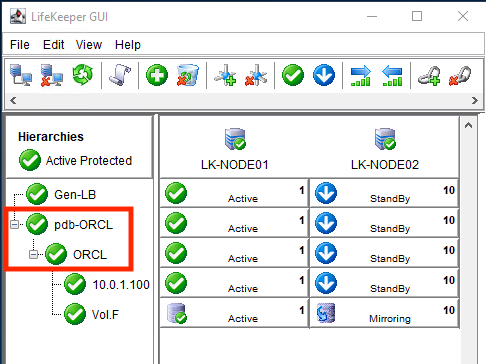
- Once the Oracle Pluggable Database resource hierarchy is created, the following screen will be displayed. Please note that the Oracle resource is a child of the parent resource “pdb-ORCL”.
Post your comment on this topic.