


Create an IP resource in the LifeKeeper GUI.
- Click Create Resource Hierarchy (the green + button).
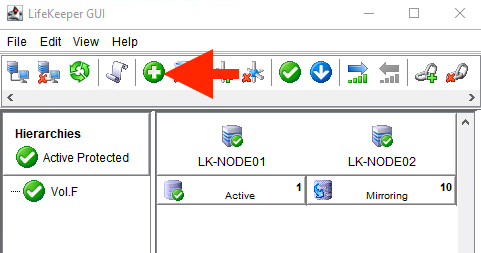
- Follow the wizard prompts to enter the details as described in the following tables.
| IP address (create) | ||
| Primary Server | LK-NODE01 | |
|---|---|---|
| Backup Server | LK-NODE02 | |
| Application to protect | IP Address | |
| IP Address | 10.0.1.100 | |
| Subnet Mask | 255.255.255.255 | *Note |
| IP Resource Tag | 10.0.1.100 | |
| Network Connection | Ethernet | |
| Local Recovery | No |
| IP address (extend) | ||
| Subnet Mask | 255.255.255.255 | *Note |
|---|---|---|
| Network Connection | Ethernet | |
| Target Restore Mode | Enable | |
| Target Local Recovery | No | |
| Backup Priority | 10 |
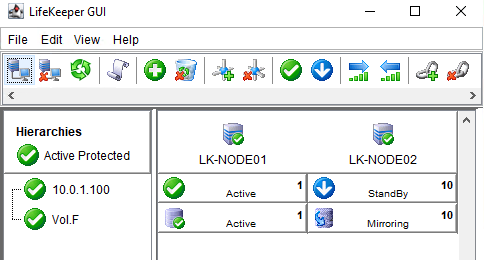
The following screen appears when the IP resource is created.
Post your comment on this topic.