


In order to install and configure Oracle on the standby system, the IP resource and volume resource must be configured to be active on the standby system (sios20lknode02).
- Log in to sios20lknode01 as SIOS20\lkadmin.
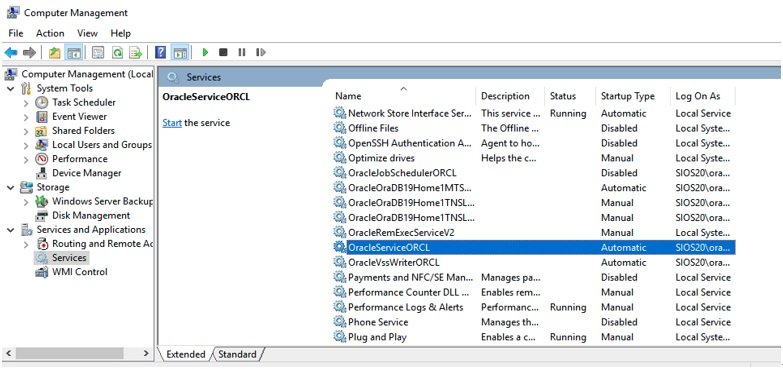
- In the Service Control Manager, stop all services that have names beginning with Oracle.
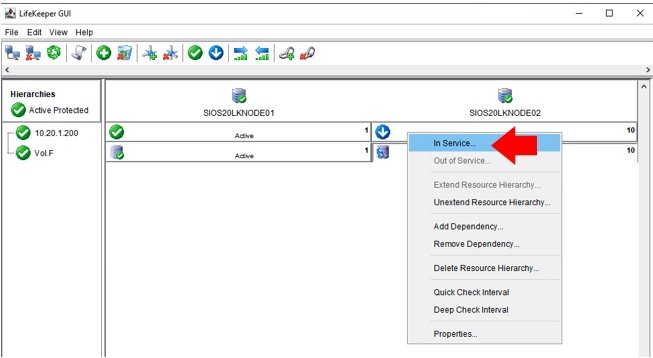
- Launch the LifeKeeper GUI, right-click on the sios20lknode02 IP resource (10.20.1.200) and select In Service, allowing the resource to become active on sios20lknode02.
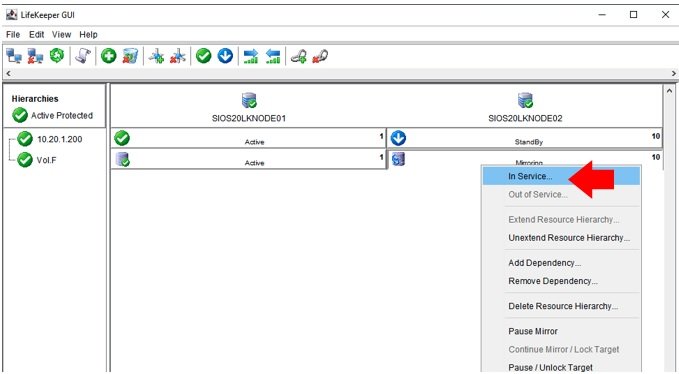
- Configure the volume resource (Vol. F) to be active on sios20lknode02.
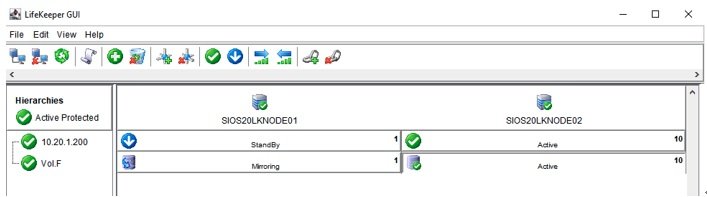
- The IP resource and volume resource are active now on sios20lknode02.
Post your comment on this topic.