


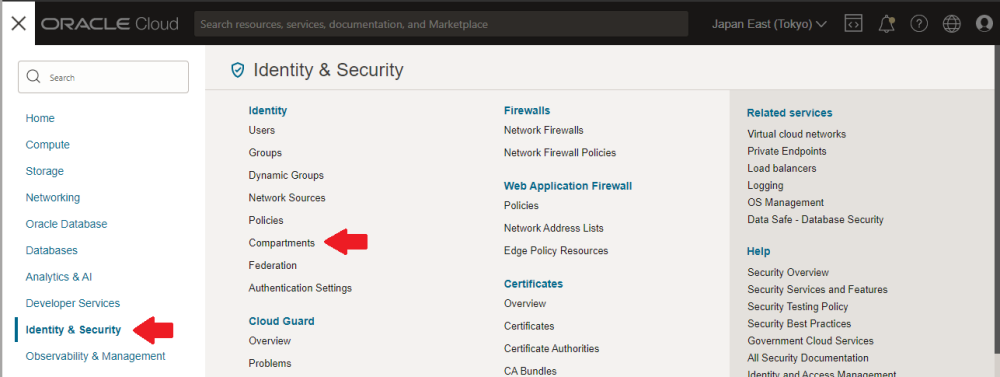
- Select [≡] (On the upper left corner of the screen) > Identity & Security > Compartments.
![]()
![]()

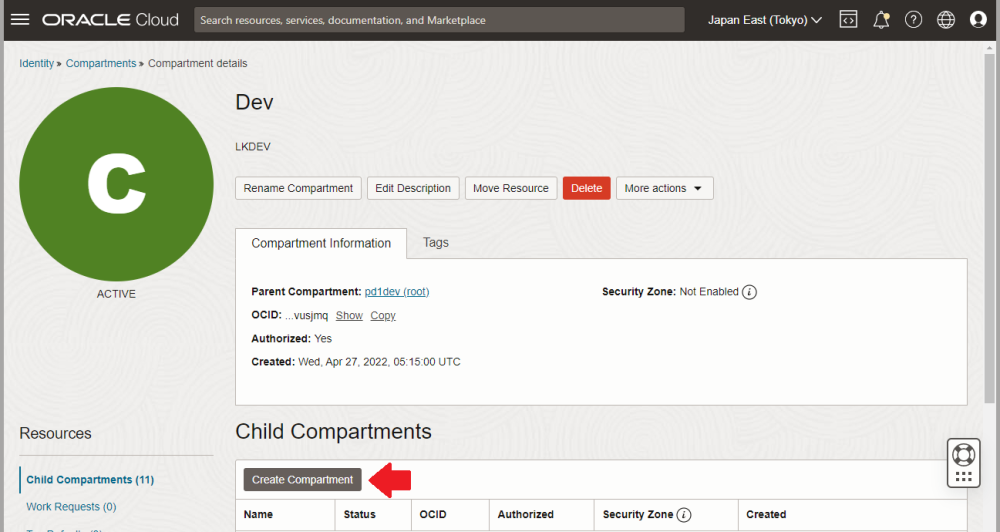
- Click Child Compartments > Create Compartment.
![]()
- Enter the following values in the displayed form and click Create Compartment.
| Item | Value |
|---|---|
| Name | sios20-c |
| Description | sios20-c * This field is required. Please enter descriptive information. |
| Parent Compartment | Select the parent compartment. |
- You can see that the sios20-c compartment has been created within the specified parent compartment.
Post your comment on this topic.